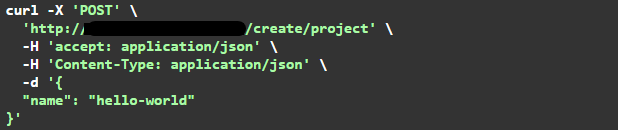
1. POST /create/project
Description: Project is required to get the key for your account.Please save your settings as you won't be able to get it back.
- name (required) - The name of your project.
- message (required) - The message for your project.
- clientid (required) - The id of your project.
- name (required) - The name of your project.
- clientkey (required) - The key of your project.

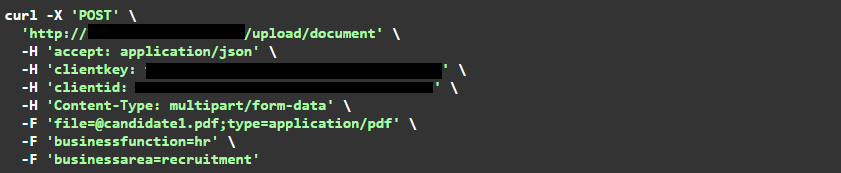
2. POST /upload/document
Description: Upload your document into platform for questioning. For document storage, bizzscan provides you 3-level of hierarchy. These levels are project, business function and business area and present in input parameters as.
Some of the examples of these values are:
- businessfunction: hr
- businessarea: recruitment
- businessfunction: hr
- businessarea: payroll
- clientid (required) - The clientid asssociated with your project.
- clientkey (required) - The clientkey asssociated with your project.
- file (required) - string($binary)
- businessfunction (required) - string
- businessarea (required) - string
- message - The message for your project.
- id - The document id of your document.

3. GET /get/documents
Description: You can retrieve the metadata of uploaded document from this APIs within your document hierarchy.
- businessfunction: hr
- businessarea: recruitment
- clientid (required) - The clientid asssociated with your project.
- clientkey (required) - The key asssociated with your project.
- pageno (optional) - string (default value : 1)
- limit (optional) - string (default value : 10)
- businessfunction (required) - string
- businessarea (required) - string

- documents - list of your documents.
- documentpath (required) - The path of your document.
- id - The document id of your document.

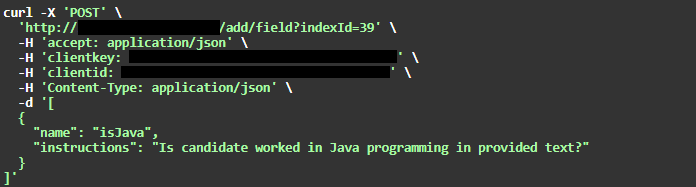
4. POST /add/field
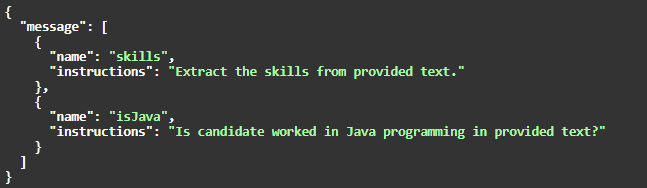
Description: Field addition to your index will allow full control on its behavior.
- clientid (required) - The clientid asssociated with your project.
- clientkey (required) - The clientkey asssociated with your project.
- indexId (required) - The id of your index.
- fields (required) - part of request body which takes 2 inputs:
1. variable name (part of index)
2. Instructions (define the rules)
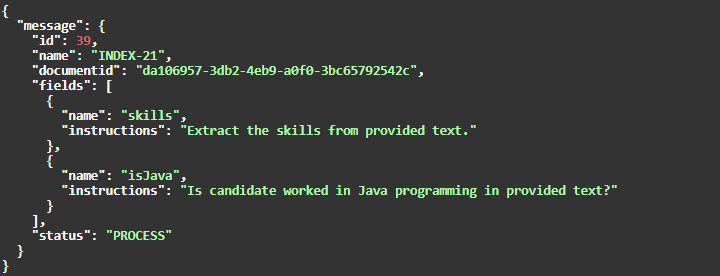
5. POST /create/index
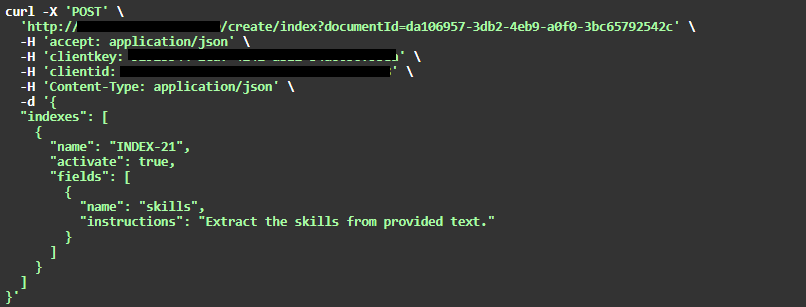
Description: Index creation will give you full control over the information which you want to extract from document.
- clientid (required) - The clientid asssociated with your project.
- clientkey (required) - The clientkey asssociated with your project.
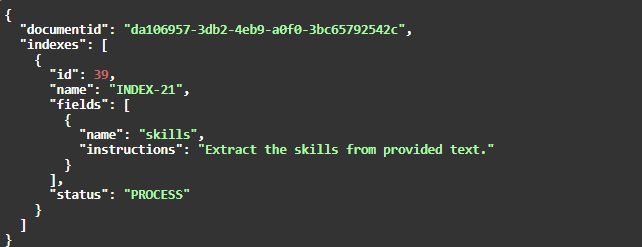
- indexes (required) - Request body contains name, activation flag and fields of index.
If you set the activate flag to True then index status will become "PROCESS" and it will be blocked for modification.After the indexing job will finish, the status will again become "ACTIVE". - documentId (required) - ID of your document.
6. POST /activate/index
Description: Activation of Index will allow index application of associated documents .
- clientid (required) - The clientid asssociated with your project.
- clientkey (required) - The clientkey asssociated with your project.
- indexId (required) - The id of your index.


7. GET /index
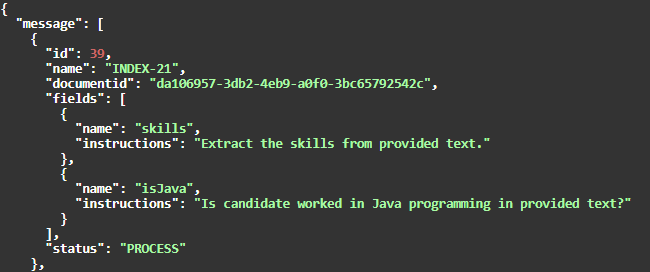
Description: Give you summary of all your indexes created under your project.
- clientid (required) - The clientid asssociated with your project.
- clientkey (required) - The clientkey asssociated with your project.

8. GET /index/{indexId}
Description: Give you summary of your specific index given as path variable created under your project.
- clientid (required) - The clientid asssociated with your project.
- clientkey (required) - The clientkey asssociated with your project.

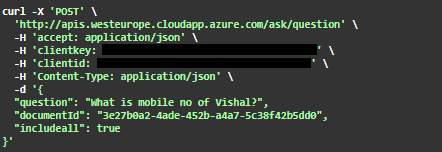
9. POST /ask/question
Description: Once you get the notification that indexing of your document is complete, then you can ask the question.
- clientid (required) - The clientid asssociated with your project.
- clientkey (required) - The clientkey asssociated with your project.
- question (required) - question which you want to ask.
- documentId (required) - Scope ID of the document.
- includeall (required) - Search in whole folder.